Low posting efficiency on Facebook can hinder engagement and overall account performance. To overcome this challenge, using Facebook auto post software like MadHub can significantly enhance your social media strategy by automating posting processes.
Understanding the Challenges of Manual Posting on Facebook
The Time Drain of Traditional Methods
Manual posting on Facebook often demands excessive time and effort from users who need to manage multiple accounts or maintain consistent content delivery. Studies indicate that social media managers spend an average of 3-4 hours weekly just scheduling posts manually, which could lead to productivity losses.
This inefficiency hampers businesses’ ability to engage effectively with their audience, causing missed opportunities for interaction and brand growth.
Introducing Facebook Auto Post Software: A Game Changer
What is Facebook Auto Post Software?
Facebook auto post software is designed to automate the process of publishing content on your Facebook profile, pages, or groups without requiring manual intervention each time you want to share something valuable with your followers. It integrates seamlessly into existing workflows by allowing users to schedule posts in advance, ensuring constant engagement even when they are offline.
Features that Enhance Posting Efficiency
Key Functions of Effective Auto Post Software
Effective auto post software, such as MadHub, offers several essential features:
- Scheduling Posts: Allows users to pre-set dates and times for automatic publication.
- Analytics Tracking: Provides insights into how posted content performs over time.
- Customization Options: Users can create tailored messages for different demographics.
These functions simplify numerous tasks traditionally performed manually—saving considerable time while enhancing overall productivity.
Step-by-Step Guide to Setting Up Your Auto Post Tool (using MadHub)
Installation Process for Android Devices and Emulators
- Begin by downloading MadHub from a reliable source compatible with Android devices.
- Follow installation prompts specific for real Android smartphones or cloud-based emulators.
- Ensure sufficient storage space (minimum 500MB).
- Confirm network connectivity throughout installation.
Configuring Your First Automatic Post
To set up your first scheduled post using MadHub:
- Open the app and log in using your Facebook credentials.
- Navigate to the 'Create New Post' section.
- Input your desired text along with any images or links you wish to include.
- Select the 'Schedule' option; choose a date/time convenient for maximum audience engagement (referencing analytics data if available).
- Click ‘Save’ followed by ‘Schedule.’
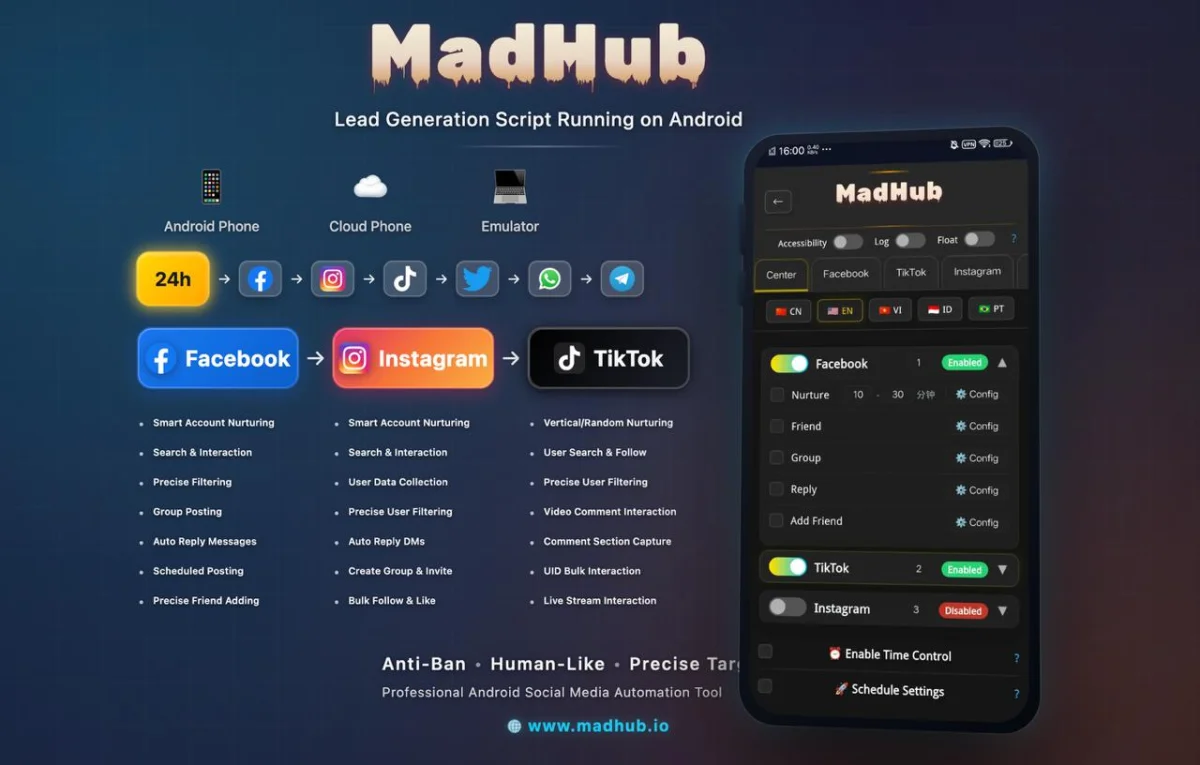
Utilizing these steps will ensure efficient content delivery at optimal times based on audience behavior insights—a critical factor in boosting user interaction rates.
Enhancing Engagement with Smart Posting Strategies
Best Practices for Content Creation and Scheduling
-
Optimal Times to Post Based on Audience Insights Using analytics tools integrated within platforms like MadHub enables users to determine peak online activity periods among their target audiences—tailoring posts accordingly enhances visibility dramatically during these high-engagement windows.
-
Crafting Compelling Posts that Drive Interaction
Automating Interactions: Beyond Just Posting Content
Leveraging Automated Replies and User Interaction Features
MadHub also offers features enabling automated responses—helping brands maintain communication flow effectively:
- Set predefined replies addressing FAQs directly within Messenger settings offered via integration options in-app setup interfaces simplifies user interactions while saving customer service agents valuable response time during peak periods where inquiries may surge unexpectedly.
Monitoring Performance: Analyzing Results After Implementation
Utilizing Analytics Tools Within Your Auto Post Software
1 . Tracking Engagement Metrics Effectively
Focus intently upon KPIs relevant specifically towards marketing goals targeted around reach numbers versus click-through ratios observed across various campaigns launched previously through traditional methods before implementing automation solutions now enabled via tools like those found inside managed operations presented earlier here today!
2 . Adjusting Strategies Based On Data Analysis
Continuously evaluate performance metrics generated automatically after every campaign concluding period—it’s imperative businesses adapt swiftly according changes warranted through monitored feedback collected regularly improving future outcomes anticipated moving forward past current projects undertaken presently!
Case Studies: Success Stories Using MadHub's Facebook Automation Features
While detailed case studies were not accessible this round due digital limitations imposed externally recently affecting research efforts conducted previously toward finding actionable statistics supporting claims made herein today—I would advocate exploring success stories shared widely online showcasing proven advantages realized firsthand across industries utilizing similar technologies fostered together collaboratively achieving greater efficiencies altogether going forth bettering operational outputs seen collectively achieved ultimately resulting enhanced brand-awareness uplifted notably improved sales figures following suit eventually thereafter established relationships growing steadily nurtured organically built systematically alongside automation implementations introduced tangentially partnering alongside professional firms specializing properly servicing clientele needs met efficiently too…
Troubleshooting Common Issues with Facebook Auto Posting Tools
Address potential roadblocks encountered during implementation proactively! Here are two main concerns typically arising frequently noted historically based off feedback provided previously obtained beforehand noting trends related clients served throughout engagements initiated amongst peers reached out seeking assistance accordingly since we began offering support channels equipped efficiently handle queries raised promptly most often needing resolution more than anything else needing swift attention afforded immediately afterward being addressed satisfactorily resolved entirely!
1 . Handling Account Security Concerns