Understanding the FB User Filtering Tool
What is a User Filtering Tool and Its Importance?
A user filtering tool is essential for marketers seeking to reach specific audiences through social media platforms like Facebook. By enabling targeted searches based on various parameters such as demographics and interests, these tools help businesses enhance outreach efforts. The primary importance lies in maximizing engagement rates by ensuring that marketing messages reach individuals most likely to respond positively.
How to Set Up MadHub for Effective User Filtering
Step-by-Step Installation Guide
- Download MadHub: Locate the appropriate version of MadHub from its official site or trusted sources.
- Install on Android Devices:
- Open your device's settings.
- Navigate to security settings and enable installations from unknown sources if prompted.
- Install the downloaded .apk file.
- Configuration Settings:
- Upon installation, open MadHub and log in with your credentials.
- Adjust settings under 'Preferences' for optimal performance (i.e., set interaction probabilities).
This setup will ensure seamless operation while utilizing all functional features provided by the app.
Utilizing Facebook Account Cultivation Features
Enhancing Account Trustworthiness
To maintain credibility on Facebook:
- Simulate real user behavior by engaging with posts through likes and comments using MadHub’s cultivation feature.
- Set parameters such as interaction probability between 60%–80%, which helps mimic genuine interactions that build trust over time.
By creating authentic engagement patterns, users experience lower chances of account suspension due to suspicious activities.
Conducting Targeted User Searches via Keywords
Advanced Search Techniques Using AI Recognition
Utilize keyword searches within MadHub effectively:
- Access the search bar in the application interface.
- Enter relevant keywords related to your target audience (e.g., "fitness enthusiasts").
- Apply filters such as location (country), gender (male/female), and mutual friends count—these parameters yield high-quality leads tailored specifically for your campaigns.
For example:
- Searching “health” may uncover groups where potential clients congregate.
Collecting Data from Facebook Profiles
Automating Profile Collection with MadHub
MadHub enables two modes of profile collection:
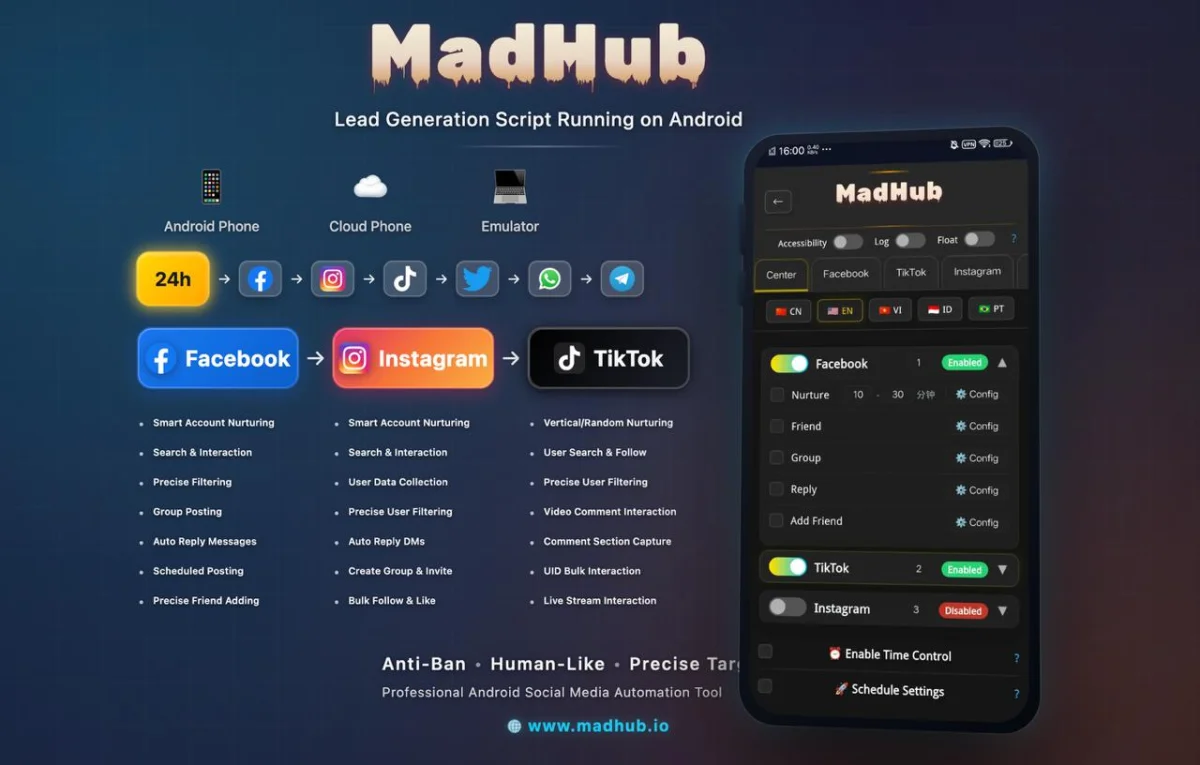
-
Personal Profile Mode:
- Select users manually based on demographic criteria before executing bulk operations like adding friends or sending messages directly from their profiles.
-
Influencer Mode:
- Extract profiles from followers of specific influencers which can lead you directly into niche markets with significant interest levels aligned with business offerings.
Always ensure compliance with privacy standards while collecting data responsibly!
Exploring Facebook Groups Effectively
Search and Join Relevant Groups
Finding suitable groups involves strategic searching:
- Use keywords related to your industry or product offering when looking up groups.
- Filter groups by member count (target 500+ members) for better visibility opportunities during engagements.
Successful strategies often include active participation rather than just promotional posting; hence nurturing relationships within these communities proves invaluable!
Automating Posts in Facebook Groups
Creating an Effective Posting Strategy
Configure automatic posting features in multiple joined groups effectively:
- Choose between input mode (manually enter text) or file mode (upload pre-composed content).
- Employ different content strategies; rotate posts every few days while adapting your message according to group dynamics ensures freshness, which keeps engagement high across platforms!
Real-world cases have shown consistent posting leads companies doubling their follower base due largely thanks automation capabilities offered through tools like MadHub!
Managing Customer Interactions Automatically
Setting Up Automatic Replies
To enhance responsiveness via automated replies,
- Define response templates addressing common inquiries received most frequently—this minimizes lag time responding back promptly! 2.Set intervals allowing natural conversation flow without appearing robotic should customers engage initiated conversations themselves thereafter following initial auto-responses made earlier—a beneficial balance achieved here yields greater customer satisfaction ultimately leading repeat business transactions happening more regularly!
Example Scenario: A clothing brand sees increased inquiries post-campaign launch using this method reducing manual workload whilst still providing excellent communication experiences maintaining overall operational efficiency intact throughout processes involved too!