Understanding the TK Live Stream Auto Interaction Tool
Overview of its Features and Benefits
The TK Live Stream Auto Interaction Tool is designed primarily for enhancing engagement during TikTok live streams. This innovative tool automates various interactions such as comments, likes, and follows while a stream is ongoing. By leveraging these automated features, users can significantly amplify their engagement rates.
Automated comments initiate conversations with viewers, creating an interactive atmosphere that encourages participation. Automated likes boost visibility on TikTok’s algorithm since higher interaction signals content value. Followers gained during live sessions contribute to long-term audience growth for creators.
Setting Up the TK Live Stream Auto Interaction Tool
Step-by-Step Installation Guide
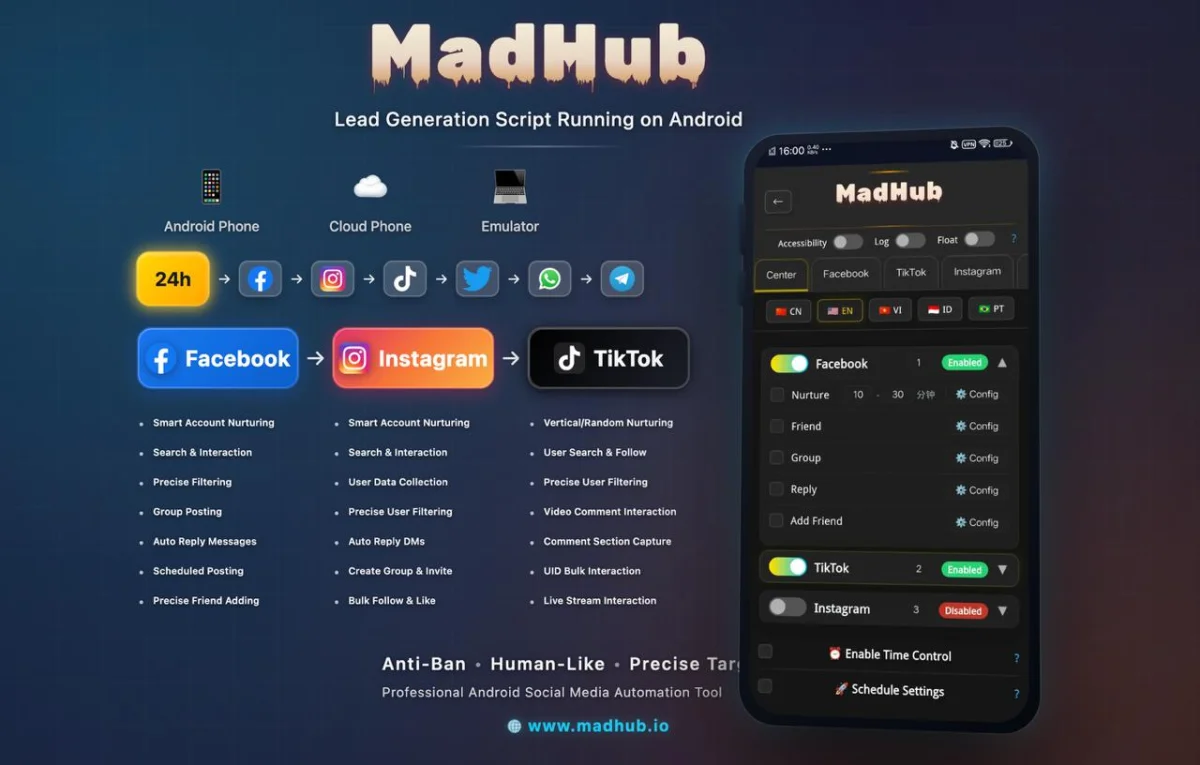
To set up the TK Live Stream Auto Interaction Tool via MadHub on Android devices or emulators, follow these step-by-step instructions:
-
Download MadHub: Visit the official website or app store to download the MadHub application compatible with Android.
-
Install: Open your downloaded file and install it on your device or emulator.
-
Grant Permissions: Allow necessary permissions such as access to notifications and storage for optimal functionality.
-
Login/Signup: Create an account or log in if you already have one.
-
Load Your TikTok Account: Link your TikTok account through MadHub by entering your credentials.
-
Configuration Settings: Access settings within MadHub for configuration options tailored to enhance performance—set parameters based on your audience type and engagement strategy.
Configuration Settings Required for Optimal Performance
- Adjust comment frequency settings according to peak engagement times observed from past analytics.
- Set up like ratios based on typical viewer responses during previous streams; this helps maintain organic interaction rates.
Configuring User Preferences for Interactive Sessions
Customizing Interaction Settings
Customizing interaction settings is critical for maximizing effectiveness when using the auto interaction tool:
- Navigate to
Settings > Interactions. - Adjust parameters such as:
- Comment Frequency: Specify how often automated comments should be posted (e.g., every 2 minutes).
- Like Ratios: Define how many likes should be given per session relative to views (e.g., 10% of viewers).
- Target Audience Demographics: Tailor interactions based on age groups or interests identified from past analytics data.
Understanding user preferences allows creators not only to engage effectively but also improves overall satisfaction among their followers leading towards sustained growth.
Utilizing The TikTok Livestream Functionality Effectively
Best Practices for Engaging with Viewers
Engaging with viewers during a live stream requires strategic planning; here are some effective practices:
- Use automated comments strategically to ask questions inviting viewer responses (e.g., "What do you think about this topic?").
- Incorporate diverse comment styles—from fun emojis that resonate culturally—to thoughtful inquiries that promote dialogue.
- Monitor real-time analytics provided by MadHub's interface so adjustments can be made mid-stream if certain tactics aren’t working well.
Creating an interactive environment fosters community building around a creator’s brand which correlates directly with increased follower retention rates post-live sessions.
Analyzing Performance Metrics
Measuring Success Through Analytics Tools
MadHub provides robust analytics tools allowing users insights into their performance metrics effectively:
- Use built-in tracking systems within MadHub:
- Engagement rate comparisons before utilizing auto interactions vs after implementation.
- Viewer drop-off points throughout livestreams—identify what causes disengagements early in sessions.
By interpreting such data meticulously over several streams enables fine-tuning strategies thus optimizing future broadcasts ensuring sustained interest from followers whilst decreasing viewership churn rates dramatically over time.
Advanced Techniques for Using the Auto Interaction Tool
Leveraging Audience Insights
Collecting valuable insights through viewer interactions shapes adaptive content strategies significantly impacting future engagements positively:
- Analyze patterns detected in peak activity times from collected data—post timings may vary greatly between demographics thus warranting shifts accordingly across different target audiences ideally situated at varying geographical locations worldwide who utilize platforms like TikTok regularly today!
2.- Post-analysis results should dictate new formats created specifically catered towards popular demand evident amongst analytic reports generated automatically each week following broadcasts!
This approach ensures continual relevance maintaining competitive edge alongside fostering improved relationships between brands represented online subsequently inviting further opportunities down pathways unanticipated previously!
Case Studies: Successful Implementation of Auto Interaction Tools
Real-Life Examples from TikTok Creators
A look into successful case studies reveals how various creators integrated MadHub’s tools successfully boosting their outreach exponentially! For example:
Creator A: Utilized automated commenting sparingly yet consistently drew engaging dialogues resulting ultimately landing them thousands more loyal fans within months following integration!
Creator B: Experienced improvement across all key metrics even showcasing dramatic spikes hitting record high levels compared previous benchmarks established prior implementing automation techniques aptly!
Such success stories exemplify potentiality afforded those willing navigate landscape adeptly reflecting upon results gathered continuously inform next steps undertaken moving forward together seamlessly flourishing amidst growing competition prevalent heavily impacting sectors alike nowadays!
Troubleshooting Common Issues
Solutions to Frequent Problems Encountered by Users
Occasionally issues may arise especially when integrating new technologies; common problems include connectivity glitches due improper installation processes manifested errors blocking access functionalities altogether causing frustration hence my tips below alleviate concerns experienced typically encountered frequently associated setups performed wrongfully without guidance;
Follow these troubleshooting methods accurately restore smooth operations swiftly!
-
Re-check permissions granted under device settings ensuring compliance adhered fully before attempting reinstallations whatsoever;
-
Verify internet connection stability throughout usage periods consistently checking router/modem configurations actively working correctly throughout spans utilized overall check periodically refresh capabilities remain functional reliably too;
-
Seek assistance via customer support channels provided readily accessible online resolving queries faster than ever beforehand reaching out initial contacts easily facilitated streamlined procedures established efficiently helping safeguard seamless experiences realized promptly afterwards!