Boosting Engagement on TikTok with the tk auto comment tool
Engaging effectively on TikTok can significantly enhance your content's visibility and reach. Utilizing a tk auto comment tool like MadHub automates interactions, helping you connect more efficiently with your audience and increasing your overall engagement rate.
Understanding the tk auto comment tool and Its Features
Overview of the tk auto comment tool
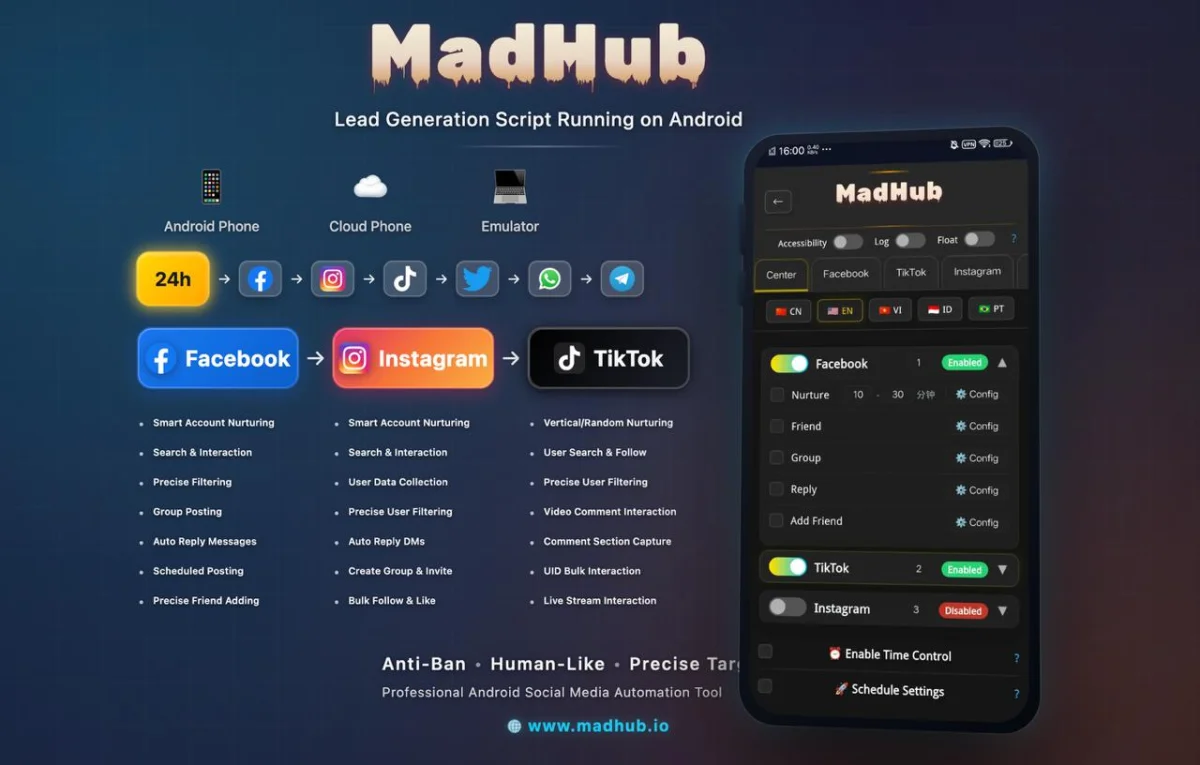
MadHub is a professional Android automation tool designed specifically for social media platforms such as Facebook, Instagram, and TikTok. It allows users to perform automated operations around the clock without manual intervention. By using this tool, you can automatically leave comments on relevant videos, thus increasing account exposure and interaction rates.
The automated commenting feature serves as an essential part of a broader strategy aimed at enhancing user engagement. When used correctly, it enables accounts to gain visibility in crowded feeds by engaging with trending content or niche communities effectively.
Setting Up MadHub and Connecting Your TikTok Account
Installation and Configuration Steps
To start benefiting from MadHub's full capabilities:
-
Download: Begin by downloading the MadHub application from its official website or alternative sources recommended for Android tools.
-
Install: Install MadHub on a real Android device or emulator (cloud phone), as it operates seamlessly in these environments.
-
Login Process: After installation:
- Open the app.
- Sign in using your TikTok credentials.
- Grant necessary permissions to allow automated actions.
Utilizing Automated Comment Functionality to Enhance Content Exposure
Choosing Suitable Videos for Comments
Selecting videos wisely before posting comments is critical:
- Use keyword searches within MadHub to find videos relevant to your niche or targeted audiences.
- Filter options should include:
- Publication Date: Select recent uploads for timely interactions.
- Popularity Level: Focus on trending videos that already have high engagement rates.
By strategically commenting on these selected posts, you increase chances of being noticed by potential followers who engage with similar content.
Customizing Comment Strategies to Attract Target Audiences
Techniques for Creating Effective Comments
Creating personalized comments tailored to different video types enhances user connection:
- For educational content, ask questions related directly to presented topics—this encourages discussion.
- If it's entertainment-based material, consider light-hearted humor or playful responses that resonate with viewers while showcasing personality through authenticity.
Incorporating popular hashtags can amplify visibility further by aligning your comments within trending conversations—make sure they are genuinely connected!
Configuring Automated Comment Parameters for Optimal Results
Parameter Adjustment Guidelines
When setting up automated comments:
- Frequency Settings: Decide how often you want comments posted (e.g., every hour versus daily).
- Comment Quantity Control: Limit each batch of comments per hour/day according to moderation rules set forth by TikTok—that prevents getting flagged as spammy behavior.
- Ensure compliance with platform rules; this minimizes risks associated with account suspension which could arise from over-commenting aggressively without care towards community guidelines established by TikTok itself might limit credibility access points later down line if unaddressed early stages initiative rollouts via automation setups—the importance thus cannot be overstated nor neglected!