Utilizing the TikTok Post Scheduler to Enhance Content Publishing Efficiency
Using a TikTok post scheduler significantly improves content management by automating posting times, allowing creators and brands to maintain consistent engagement without manual oversight. The MadHub app stands out as a powerful tool within this domain.
Understanding the Importance of a TikTok Post Scheduler
Defining the Role of a Post Scheduler in Content Strategy
A post scheduler like MadHub streamlines content management by allowing users to plan their posts ahead of time. This efficiency ensures that content is released consistently, which is crucial for maintaining audience engagement and maximizing performance metrics such as likes and shares. For brands and influencers, using a post scheduler can lead directly to heightened visibility on platforms like TikTok.
Setting Up Your MadHub TikTok Post Scheduler
Step-by-Step Installation Process on Android Devices
- Download the App: Visit Google Play Store and search for “MadHub.” Tap 'Install' to begin downloading.
- Open & Register: Launch the app after installation, then create an account using your email or social media login.
- Optimize Settings: During initial setup:
- Enable notifications for reminders on scheduled posts.
- Grant necessary permissions for optimal functionality regarding storage access (for videos) and network connectivity.
These steps ensure that you’re set up effectively from the start.
Navigating the User Interface of MadHub’s Post Scheduler
Key Features Overview: What You Need to Know
The dashboard of MadHub includes several important features:
- Scheduling Tools: Plan your content calendar swiftly with intuitive date selection and time slots.
- Analytics Dashboard: Keep track of how your scheduled posts perform over time in terms of engagement rates.
- User Management Panel: Manage different accounts if you're handling multiple TikTok profiles effectively.
These features allow users not only to schedule but also analyze performance trends over time.
Creating Your First Content Calendar with MadHub
How to Plan Posts Effectively Using the Calendar Feature
- Navigate to the calendar section once logged into your account.
- Select a date when you want your first video published.
- Choose 'Add New Post':
- Upload video content from your device.
- Craft engaging captions tailored towards current trends or challenges popular within TikTok culture.
Including diverse types of content—such as trending dances or themes—will enrich audience experience while keeping followers engaged.
Scheduling Posts: A Comprehensive Guide
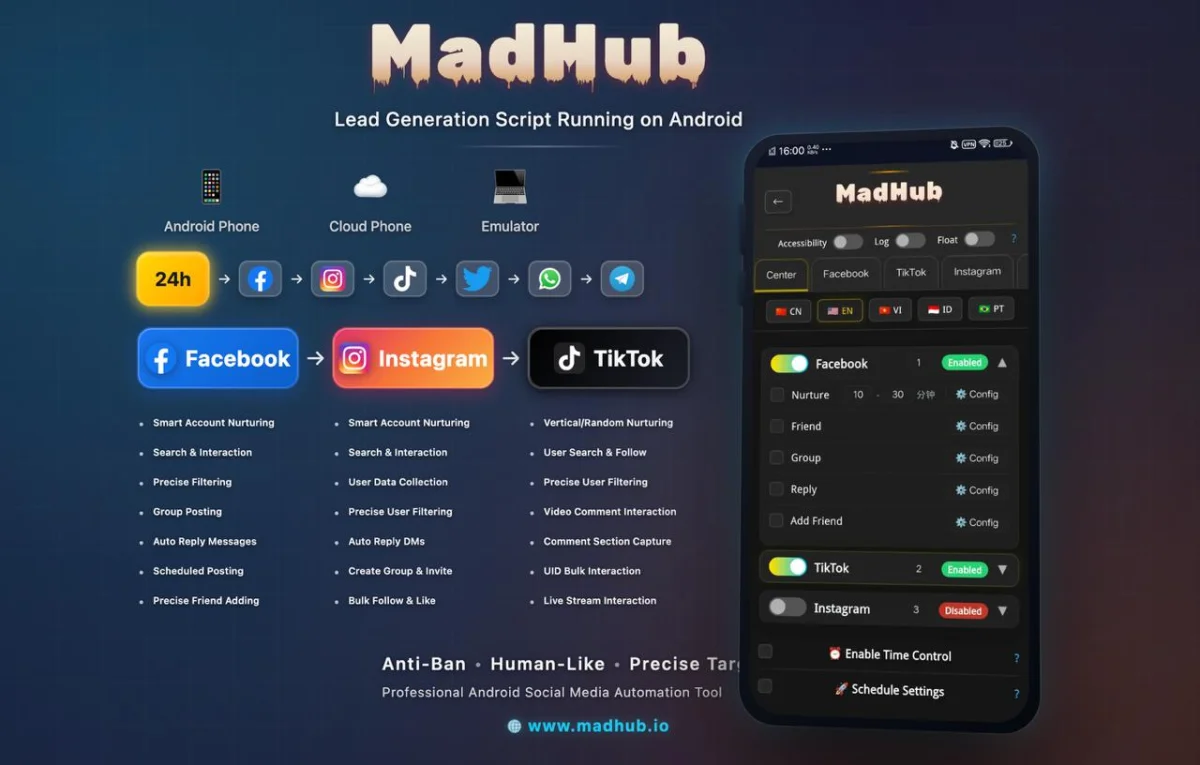
How to Schedule Videos and Captions Efficiently
To schedule posts effectively:
- Open any saved video file within MadHub’s library.
- Input desired captions ensuring they are concise yet engaging; consider including relevant hashtags too!
- Set preferred publish timings based on peak user activity insights provided by analytics tools integrated into MadHub.
Best practices suggest analyzing when most followers are active can greatly enhance reach during those chosen slots.
Utilizing Analytics to Optimize Posting Times
Interpreting Engagement Metrics from Scheduled Posts
Post-scheduling becomes significantly more effective when coupled with analytics review:
- After publishing videos through MadHub, monitor engagement metrics such as views, likes, comments over days following release dates via its built-in analytics feature.
- Adjust future schedules according upon findings; if late-night postings yield higher interaction rates than morning slots previously thought optimal—shift accordingly!
By consistently evaluating these metrics each week/month captures evolving viewer preferences seamlessly ensuring growth remains steady along channels managed under same leadership umbrella too!
Engaging with Your Audience After Scheduling Posts
Best Practices for Interaction through Comments and Messages
Upon successful posting engagements often arise instantly! Implementing techniques allows quick responses:
- Set aside dedicated times daily/weekly simply checking incoming comments made against newly posted visuals whilst also responding promptly where applicable builds community trust around interactions shared publicly together here online certainly adds value!
Fostering genuine conversations further strengthens relationships among audiences involved particularly encourages repeat viewership across all potential demographics represented openly today too!
Troubleshooting Common Issues with TikTok Scheduling Tools
Solutions for Frequent Problems Users Encounter
Common issues such as missed uploads may occur occasionally due unforeseen circumstances beyond control sometimes happen unexpectedly however solutions exist readily available:
-
Confirm internet connection stability particularly during busy periods where service interruptions might arise randomly cutting off uploads prematurely before completion occurs one task likely involves advancing workflow operations forwarded asynchronously whenever possible…
-
In case failed upload alerts occur confirm proper file format adherence met alongside sizing limitations dictated beforehand amongst well-known platforms requiring compliance strictly enforced throughout daily workflows executed regularly onward continuously adapting steadily growing innovation sector nonetheless!