Using a social media scheduler tool is essential for effectively managing your Facebook marketing strategy. It allows marketers to automate posts, track engagement metrics, and enhance user interaction without being tied to their screens at all times.
What is a Social Media Scheduler Tool for Facebook?
Understanding the Basics
A social media scheduler tool is software that enables users to plan and automate posting content across various social platforms, including Facebook. The importance of such tools cannot be overstated, particularly for businesses looking to engage with followers efficiently while maximizing their online presence on platforms that require consistent content output.
Key Features of an Effective Social Media Scheduler Tool
Essential Functionalities to Increase Efficiency
One of the most significant features of a social media scheduler tool is the ability to schedule posts in advance. This functionality allows marketers to prepare their content strategy ahead of time and ensures consistent engagement with audiences even during off-hours or weekends. Scheduling can help manage peak posting times effectively by analyzing when your audience is most active.
In addition to scheduling posts, tracking engagement metrics becomes straightforward through these tools. They provide insights into how well each post performs regarding likes, shares, comments, and overall reach—critical data needed for refining future strategies.
Automating Content Posting on Facebook
Step-by-Step Guide to Setting Up Automated Posts
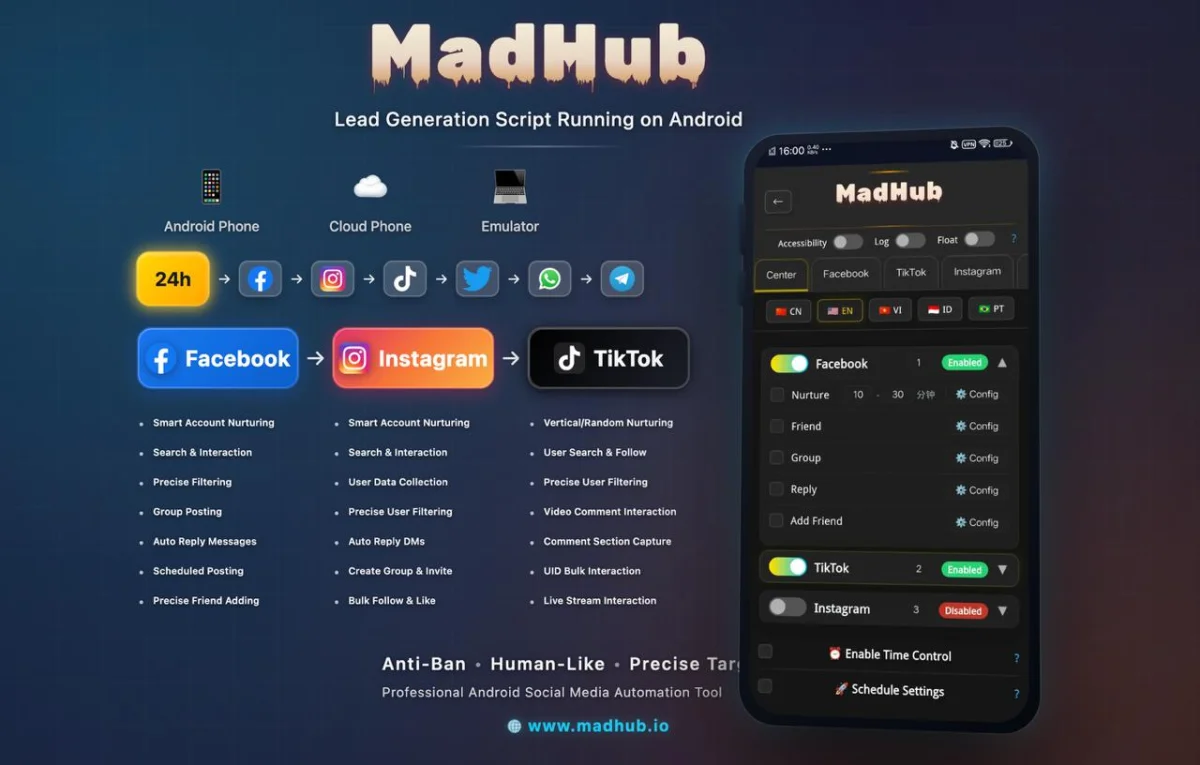
To set up automated posts using MadHub:
- Download and Install: Ensure you have MadHub installed on your Android device or emulator.
- Create an Account: Sign up within the app interface.
- Configure Settings: Go into settings; select 'Facebook' as your primary platform.
- Schedule Your Post:
- Choose ‘Post’ from the dashboard.
- Input your content (text/image/video).
- Select timings based on optimal audience engagement periods identified through analytics (e.g., evenings or weekends).
- Confirm Posting Times: Save settings for scheduled postings.
Best practices recommend analyzing past post performance data available in MadHub before deciding on timing and frequency—a process crucial for maximizing visibility and engagement rates.
Enhancing User Engagement with Interactive Features
Utilizing Automated Responses and Comments
Setting up automated replies helps maintain customer service responsiveness throughout the day without requiring constant oversight:
- Access 'Automated Replies' from menu options in MadHub.
- Create templates for common inquiries (e.g., business hours or product information).
- Configure triggers based on keywords used by users in comments/messages.
Effective interaction strategies may involve personalizing responses slightly—for instance adding names where possible—to simulate genuine conversation flow rather than canned responses only.
Advanced Targeting Options in Scheduling Tools
How to Reach Your Ideal Audience Effectively
MadHub offers advanced targeting features like audience segmentation which allow you to tailor posts according to demographics such as age group or location:
- Utilize filters within MadHub’s user search feature; narrow down potential customers who align closely with your target market characteristics.
- Analyze successful campaigns run previously via this feature; replicate methods observed therein while adjusting new messages accordingly based upon learned outcomes from those prior efforts.
Case studies reveal dramatic improvements when companies segment their audiences accurately according not just interests but also behavioral patterns gleaned over time—leading them towards more personalized approaches yielding higher conversion rates overall!
Managing Multiple Accounts Simultaneously
Streamlining Operations Across Different Pages
Managing multiple accounts requires organized effort—MadHub simplifies this through central management capabilities allowing seamless switching between profiles/pages:
- Within settings choose ‘Add Account.’
- Enter credentials per additional page wanted added under management umbrella (consider organizational clarity whilst juggling several aspects). 3 . Monitor engagements filtered out separately subsequently so every account receives adequate attention!
The benefit lies primarily around time savings afforded alongside reduced risks associated with multi-tasking errors occurring frequently amidst extensive manual handling processes typically involved otherwise!
Analyzing Performance Metrics from Scheduled Posts
Understanding Insights and Analytics
Once posted through MadHub's intuitive interface accessing performance data becomes easy following these steps:
1 . Navigate back into main dashboard area choosing 'Insights.' 2 . Review metrics provided: focus particularly upon key indicators like reach/engagement rate growth etc., dive deeper if necessary based upon what stands out at first glance!
Interpreting these numbers correctly lays groundwork necessary informing future decisions moving forward—enabling iterative refinement cycles amplifying effectiveness long term!