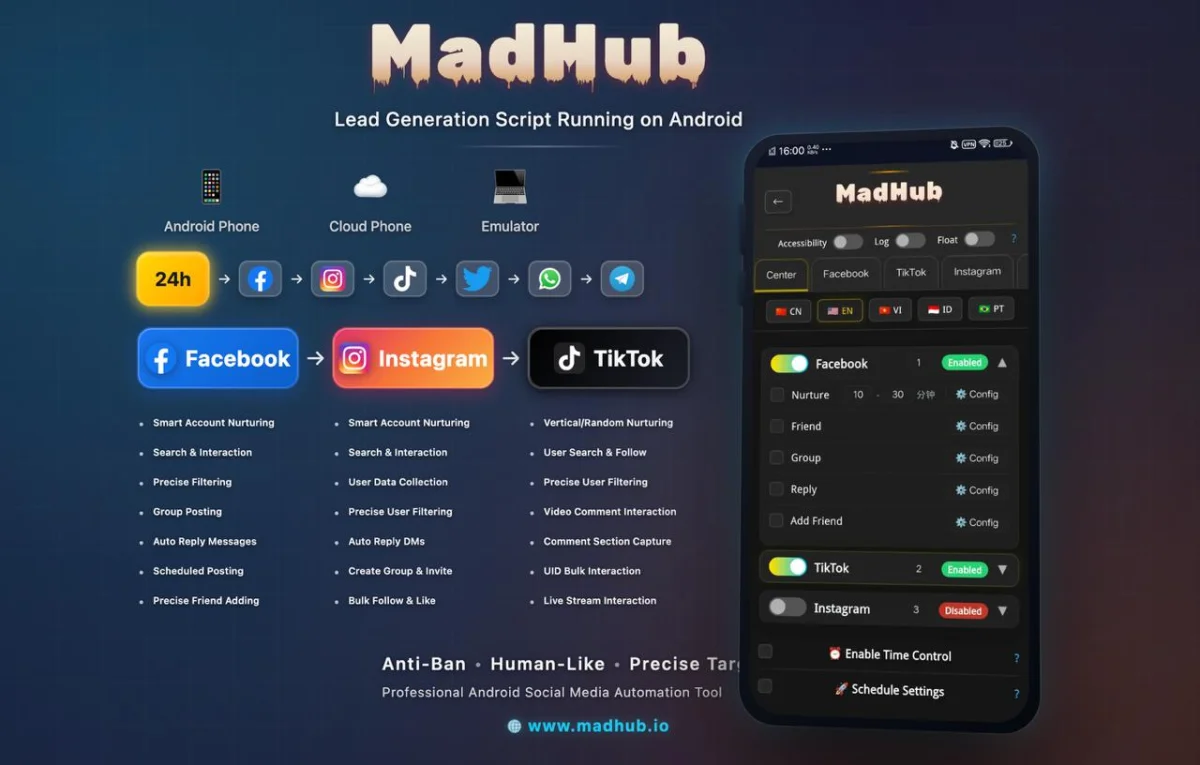
Finding the right Facebook groups is essential for enhancing networking and maximizing business opportunities. A Facebook group finder tool like MadHub can streamline this process, making it easier to connect with communities that align with your interests or business goals.
Understanding the Need for a Facebook Group Finder Tool
Why Use a Facebook Group Finder Tool?
Using a Facebook group finder tool can significantly improve your ability to discover relevant groups, thereby expanding your professional network or customer base. Many users face challenges when searching for specific groups due to the vast number of options available on Facebook. These challenges include:
- Difficulty in locating niche-specific groups.
- Overwhelming choices that do not meet user expectations.
- Lack of engagement in found groups.
By employing tools like MadHub, users can bypass these hurdles efficiently.
How to Use MadHub's Facebook Group Search Feature
Step-by-Step Guide to Accessing the Tool
-
Download and Install MadHub:
- Ensure you have an Android device or an emulator where you can run the application.
-
Open MadHub:
- Launch the app and navigate to the social media tools section.
-
Accessing Group Search:
- Locate and select "Facebook Group Search" from the menu options.
-
Configuration Settings:
- Input keywords related to your interests or business.
- Choose whether you want public or private groups.
- Set member count filters based on desired group size (e.g., fewer than 1000 members).
Following these steps will allow you access to tailored results directly related to your queries quickly.
Setting Up Your Ideal User Profile for Group Success
Optimizing Your Profile for Better Connections
Optimizing your profile before joining new groups is crucial for better visibility and connection opportunities:
- Profile Picture: Use a professional image that clearly represents who you are within your industry.
- Bio Optimization: Write an appealing bio summarizing what you bring into discussions—be specific about skills and experiences relevant to potential group members.
A well-crafted profile makes others more likely to engage with you after you've joined their group.
Searching for Groups Based on Keywords
Utilizing Keywords Effectively in Your Searches
The effectiveness of searching depends heavily on keyword selection:
- Identify niche-related terms relevant both broadly (like "marketing") and narrowly (like "digital marketing strategies").
- Combine different keywords creatively (for example, “real estate investment tips”).
- Experiment by adjusting keywords based on initial search results feedback; observe which yield active communities.
Utilize case studies showcasing successful keyword implementations among users who expanded their networks through targeted searches as proof of concept.
Filtering Groups by Engagement Metrics
How to Analyze Groups Before Joining Them
Engagement metrics are critical indicators of a group's activity level:
- Look at likes, shares, comments—these figures reflect how engaged current members are.
- Assess post frequency; higher frequency suggests active community involvement but ensure it’s not spammy content overload.
MadHub allows filtering based upon these crucial metrics enabling smarter decisions regarding which groups merit joining versus those that might be less beneficial long-term.
Automating Group Join Requests with MadHub
Streamlining the Joining Process with Automation Tools
MadHub provides various automation features designed specifically for efficiency:
- Navigate back into ‘Group Search’ settings where you'll find automation options listed under join requests tab.
- Select multiple relevant groups from search results effortlessly while allowing automated request submissions without manual intervention each time—a major time saver!
This capability transforms tedious tasks into swift operations while ensuring you're consistently engaging with new networks effectively!
Crafting Engaging Posts Once You’ve Joined Groups
Best Practices for Posting Content in Groups
Creating compelling posts requires understanding audience preferences across different types of communities involved within certain niches:
1.Tailor content specifically addressing issues prevalent among respective audiences rather than generalities yielding lower interest levels overall! 2.Utilize data-backed examples showing high-engagement posts previously successful within similar contexts providing insights plus inspiration towards future endeavors here too!
Such practices guarantee improved interaction rates leading towards fruitful connections forged over shared interests through engaging contributions made proactively throughout discussions online together!