Using Android automation software significantly enhances productivity by automating repetitive tasks on your mobile device. This type of software allows users to streamline daily operations, making mundane tasks feel effortless.
Understanding Android Automation Software
What is Android Automation Software?
Android automation software refers to tools designed to automate various functions and processes on Android devices. These solutions are particularly useful for users looking to optimize their workflow or enhance their interaction with apps such as Instagram, Facebook, or TikTok. Common use cases include auto-posting content, managing interactions with followers, and gathering user data.
Key Features of Effective Automation Tools
Essential Features to Look For in an Automation Tool
When selecting an Android automation software, it’s crucial to consider several key features:
- Task Scheduling: The ability to set specific times for actions like posting or sending messages.
- User Behavior Simulation: Mimicking real user activities such as liking posts or following accounts.
- Integration Capabilities: Compatibility with other applications and platforms for seamless operation.
These features ensure you can effectively manage your social media presence while maintaining authenticity.
How to Get Started with MadHub for Instagram Automation
Setting Up Your MadHub Account for Success
To begin using MadHub:
- Download the application from a trusted source.
- Create an account by providing necessary details such as email and password.
- Once logged in, navigate through the interface which is designed for ease of use—no coding required!
The intuitive layout allows beginners and seasoned marketers alike to operate efficiently within minutes.
Automatic User Interaction on Instagram with MadHub
Configuring Interaction Settings to Optimize Engagement
Setting up automatic interactions involves defining parameters:
- Access the “Interaction Settings” menu.
- Configure settings like interaction probability (e.g., 70% chance of liking a post).
- Set execution rates according to how actively you wish your account engages (daily limits).
By fine-tuning these parameters, you can maximize follower engagement without seeming spammy.
Building a Target Audience Using MadHub's Search Functionality
Utilizing Advanced Search Filters Effectively
MadHub provides powerful search filters that help pinpoint potential customers:
- Use keyword searches related to your niche.
- Apply filters based on gender, follower count, and activity level.
- Save these searches for future reference which helps in maintaining consistency across marketing campaigns.
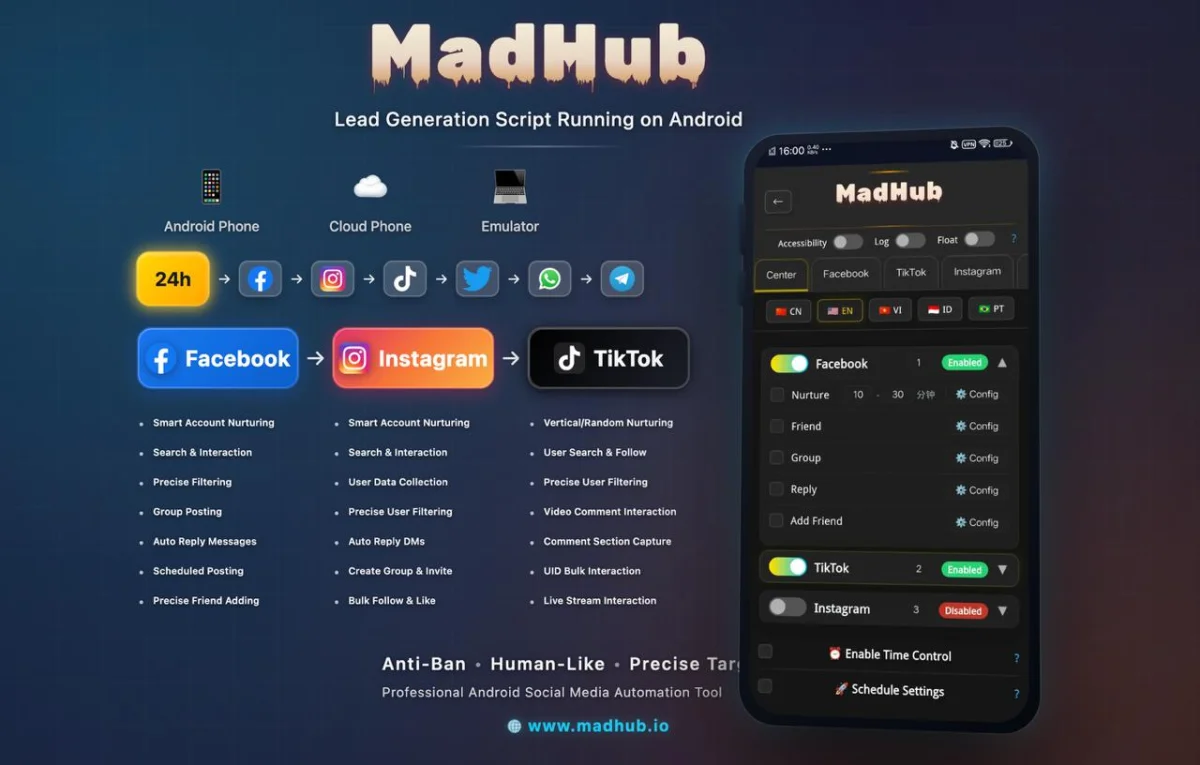
This targeted approach not only saves time but also increases conversion rates substantially by engaging relevant audiences directly.
Collecting Valuable User Data through MadHub’s Collection Feature
Steps to Efficiently Gather User Profiles and Insights
With two collection modes available (personal profile mode and influencer mode), follow these steps:
- Choose a collection method based on your goal—gathering insights from general users versus influencers.
- Utilize AI-powered recognition features that identify user attributes efficiently.
- Export data into manageable lists that aid in facilitating personalized marketing efforts later on.
Having this information at hand empowers marketers by allowing them tailored outreach methods leading towards better customer relationships.
Creating Groups for Community Engagement via MadHub Group Feature
Step-by-Step Instructions for Group Creation and Management
Creating community groups is straightforward:
- Navigate to the "Groups" section within MadHub.
- Input usernames either manually or upload from a file list.
- Set group parameters including member numbers per group (for instance 50 members each).
- Hit ‘Create’ – now send automated messages welcoming new members!
This feature paves way toward building vibrant communities around shared interests while reducing manual overheads significantly through automation capabilities offered by MadHub.
Enhancing Customer Support with Automated Responses in MadHub
Setting Up Auto-responses for Efficient Customer Service
To configure automated replies:
- Enter the "Responses Section".
- Define common queries using input modes (text responses) along with likely follow-up questions automatically generated based upon initial inquiries received earlier! 3.. Adjust interval settings between successive message sends ensuring proactive engagement without overwhelming recipients too frequently!
Through implementing this system reliably ensures no customer query goes unattended enhancing overall satisfaction levels remarkably over time!
Analyzing Your Automation Performance
Methods To Track Effectiveness Of Your Automated Tasks
Monitoring performance begins within analytics dashboard provided inside app itself;
- Track metrics like audience growth rate impacted due solely thanks execution efforts made via tool over specified timespan!
- Gain insights into popular activities attracting engagements most frequently thus informing future plans about refining strategies applied ahead going forward continuously!
Regular analysis promotes staying updated trends affecting performance outcomes positively reinforcing successful behaviors observed previously boosting confidence embarking new initiatives simultaneously!